
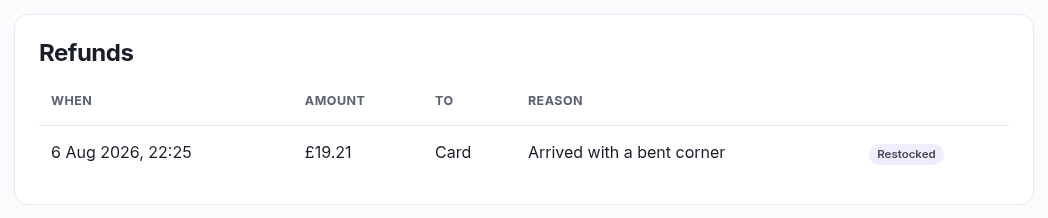
Once any money has gone back, a Refunds panel appears above the refund form listing every refund on this order, oldest first. It's the audit trail — several partial refunds over weeks each get their own row.
| Column | What it tells you |
|---|---|
| When | Date and time it was processed. |
| Amount | How much went back in that one action. |
| To | Where it went — Card, Cash, Giftcard or Credit. One refund can appear as more than one row when it was split across tenders. |
| Reason | Whatever was typed at the time, or a dash. The argument for always typing something. |
The badges
| Badge | Meaning |
|---|---|
| Void | This refund cancelled the order rather than just returning money. |
| Manual | The money was not sent automatically. It's recorded here, but somebody has to hand it over — cash from the drawer, or a bank transfer. An unresolved Manual row is money you owe a customer. |
| Restocked | Stock went back on the shelf for this refund. |
Reading it against the totals
These amounts add up to the Refunded line in the Totals panel. If the order says Partially refunded, the difference between Total and Refunded is what you've kept — and what Full refund would return if you pressed it now.