
Everything about how your shop runs, arranged into tabs. One Save settings button at the bottom saves the whole form, so you can change things across several tabs and save once.

Card payments, your logo and your images have their own save buttons — they're uploads and connections, not settings, so they save on their own the moment you use them. Some tabs only appear if your plan includes that feature.
General
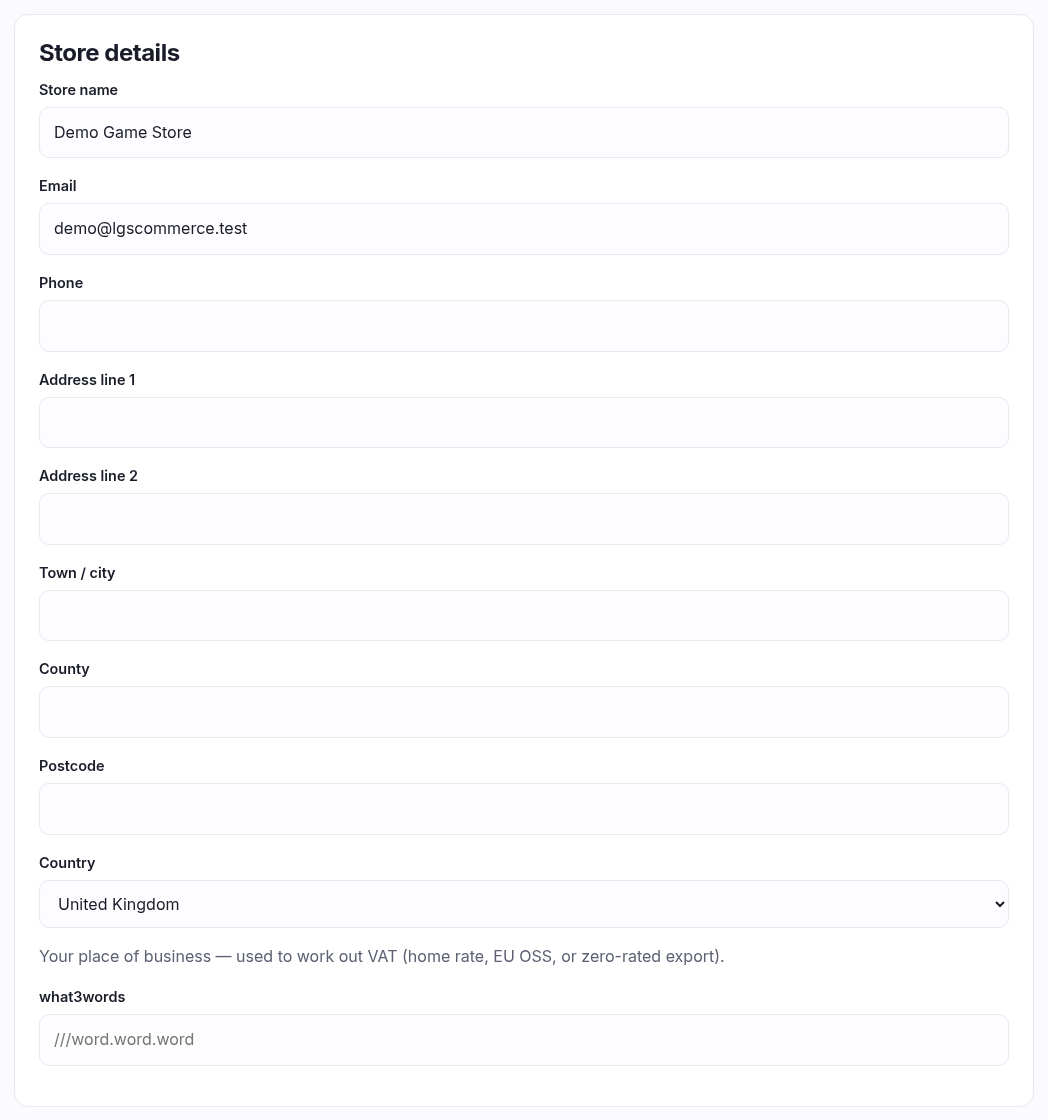
- Store details — your name, email, phone and full address. These print on invoices and show on your contact page, so put the real trading address in.
- Country is the important one. It's not decoration — it decides how VAT is worked out on every sale (your home rate, EU OSS, or zero-rated export). Get this right before you take an order.
- what3words — optional, and genuinely useful if you're up an alley or on an industrial estate where the postcode drops people in the wrong car park.
- Opening hours — free text per day, exactly as you want it read. "10am – 6pm", "Closed", "12–8, late night Thursday". Nothing parses it.
- Social — full URLs to your Facebook, Twitter/X and Instagram. Leave a box blank and that icon simply doesn't appear.
Payment
Currency
The currency your prices are shown and charged in — GBP, EUR or USD. Change it and save, and the exchange-rate rows below refresh to match.
Exchange rates
Only relevant if you use follow-market pricing. Card prices come from catalogue sources quoted in their own currency (USD, EUR), so they need converting into yours. Leave a rate blank to use the platform's, or type your own to price a little above or below the market on purpose. If your currency already matches every source, this panel tells you so and there's nothing to do.
Stock costing
Only if your plan tracks cost. You record what you paid for stock as it arrives, one lot at a time — five copies bought at three prices are three lots — and this decides which lot a sale takes its cost from, and so the margin you report.
| Method | What it does |
|---|---|
| FIFO | The oldest copies sell first, each at what that lot cost. Lots stay separate, so you can always see what you paid for what's left. The usual choice, and it matches what physically happens to a box of cards. |
| Weighted average | Every copy costs the average of what's on hand. Simpler to think about, but once you've sold any, the separate lots are gone — under this method the copies are by definition identical. |
Both are permitted for UK and EU accounts (LIFO is not, which is why it isn't offered). Pick one and stay on it — switching mid-year makes two periods that can't be compared, and your accountant will ask.
Tax
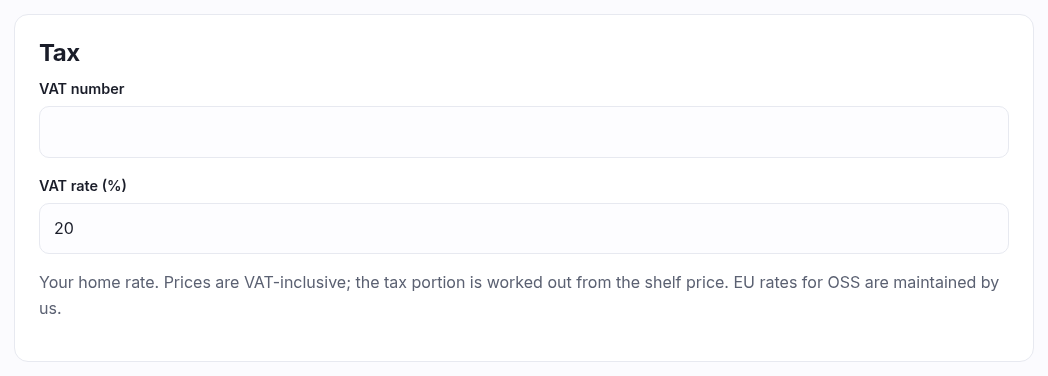
- If you are VAT registered: put your VAT number in and set your home VAT rate (20% in the UK). Prices everywhere in the shop are treated as VAT-inclusive — you type the shelf price and the tax portion is worked out from it, rather than being added at the end. That portion is what appears on the VAT report and on invoices. EU rates for OSS are maintained by us, so you don't keep a table of them.
- If you are not VAT registered: leave the VAT number blank. No VAT is charged, recorded or shown anywhere, your customers pay exactly your prices, and the VAT report stays at zero. That's correct, not a fault — come back and fill this in on the day you register.
Delivery
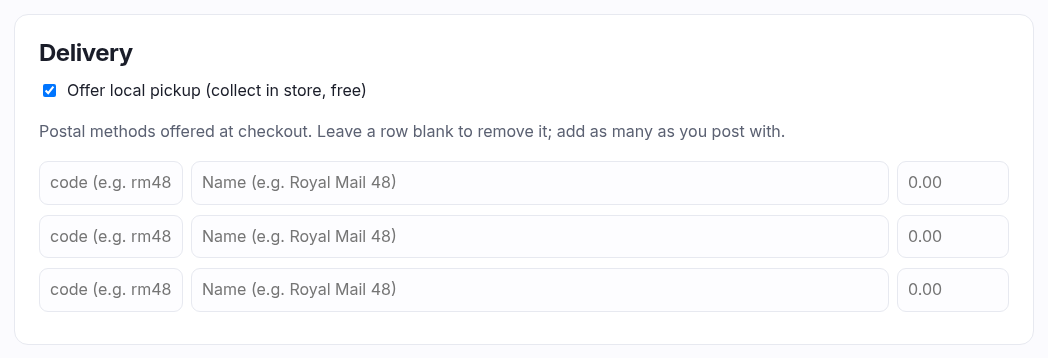
- Offer local pickup — adds a free "collect in store" option at checkout.
- Postal methods — one row each: a short code
(
rm48), the name the customer reads ("Royal Mail 48"), and the price. Blank rows are ignored, and clearing a row removes that method. There are always spare rows for adding more.
Card payments (Stripe)
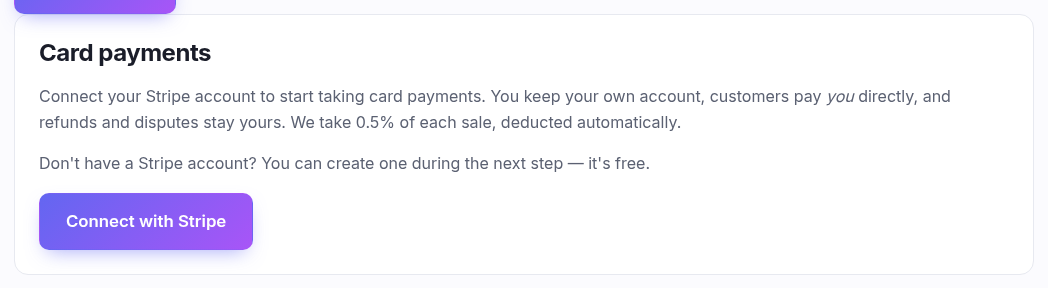
Press Connect with Stripe and follow it through — you can create a Stripe account during the process if you don't have one, and it's free.
Your shop is the merchant. Customers pay you directly, into your own Stripe account; refunds and disputes are yours, and payouts are on your own Stripe schedule. We take a percentage of each sale, deducted automatically, and the exact figure is shown on this panel. Once connected, the panel reports the account, whether it's live or test, and whether Stripe has enabled payouts yet — a new account often says "checking" for a day while Stripe verifies your details.
Cookies
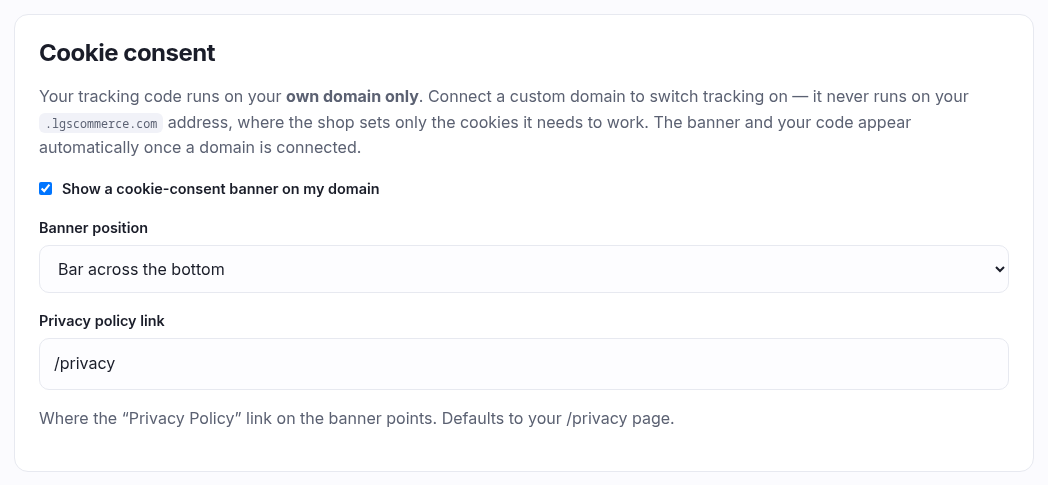
Where you turn on a consent banner and paste your analytics or ad tags. Three things are worth knowing before you start:
- Your tracking code only runs on your own custom domain. On your
.lgscommerce.comaddress it never runs at all — that address sets only the cookies the shop needs to work. Connect a domain and the banner and your code appear by themselves. - Code runs only after the shopper consents to its category. Paste each provider's snippet into the category it belongs to (analytics, marketing) — head code and body code separately, as the provider's instructions say.
- Nothing you paste runs on the checkout page. We keep that page locked down for card security. Purchase pixels still fire on the order-confirmation page straight after, which is where they belong anyway.
There's no box for "strictly necessary" because those are the cookies we set to make the basket and checkout work. They're listed to the shopper as always-on; there's nothing for you to edit.
Rewards
Only shown if loyalty points are part of your plan. Points are earned automatically on every paid order, online and at the till — but they're not spent at checkout. Customers convert points into store credit from their account, and the credit is what pays.
- Points earned per 1.00 spent — leave blank and nothing accrues, which is a fine way to leave the feature off while you think. Shipping, gift cards and store credit never earn points.
- Points per block and Store credit per block — the exchange rate, e.g. 100 points → £1. Customers convert in whole blocks; the remainder stays in their balance.
- Minimum points before converting — 0 means they can convert as soon as they have one whole block.
Appearance

- Theme — pick one and save; your storefront changes immediately. A theme is a complete design, not just a colour scheme.
- Logo, Account background and Browser icon — separate uploads, each saving on its own. Watch the size limits noted on each: 250 KB for the logo and icon, 2 MB for the background.
Worked example
"A VAT-registered UK shop, first day."
General: name, email, phone, full trading address, Country United Kingdom,
opening hours.
Payment: Currency GBP · VAT number GB123456789 · VAT rate
20 · tick local pickup · add rm48 / "Royal Mail 48" / 3.49
· Save settings.
Then Connect with Stripe, and upload a logo under Appearance.