
Filters are the tick-boxes customers narrow a product grid with — and the same tags you can scope a discount to. There are two kinds, and the difference matters.
Shared filters (ours)
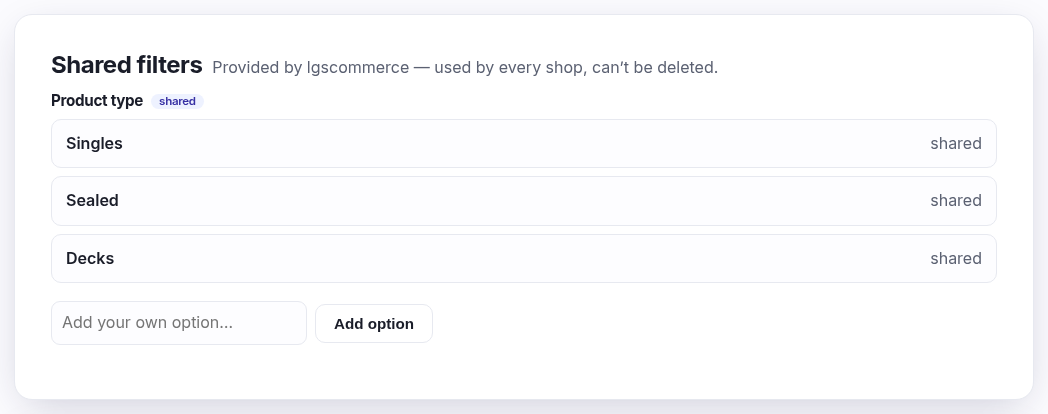
A starter set provided by lgscommerce that every shop has — for example Product type with Singles, Sealed and Decks. You can't rename or delete these, because they mean the same thing across the whole platform. You can add your own extra options into a shared group with Add option.
Your own filter groups

Anything else you want to filter by is yours to invent — "Player count", "Age rating", "Language". Create the group first (the heading customers see), then add the options under it. Tag products with them on the product's Categories & filters panel.
Two things both called "Singles"
Worth knowing, because it's confusing the first time:
- Product type ▸ Singles — the shared filter above. One, shared by every shop.
- Lorcana ▸ Singles — a sub-category of a game, which is part of
your menu, not this list. Each game has its own, because it's a place customers browse to
(
/products/lorcana/singles). That's why you'll see "Singles" once per game when picking tags for a discount — always pick the one prefixed with the game you mean.