
Where you compose your home page, your category landing pages and any other page, out of sections. What you see is the real storefront, in your real theme — you edit the page by editing the page.
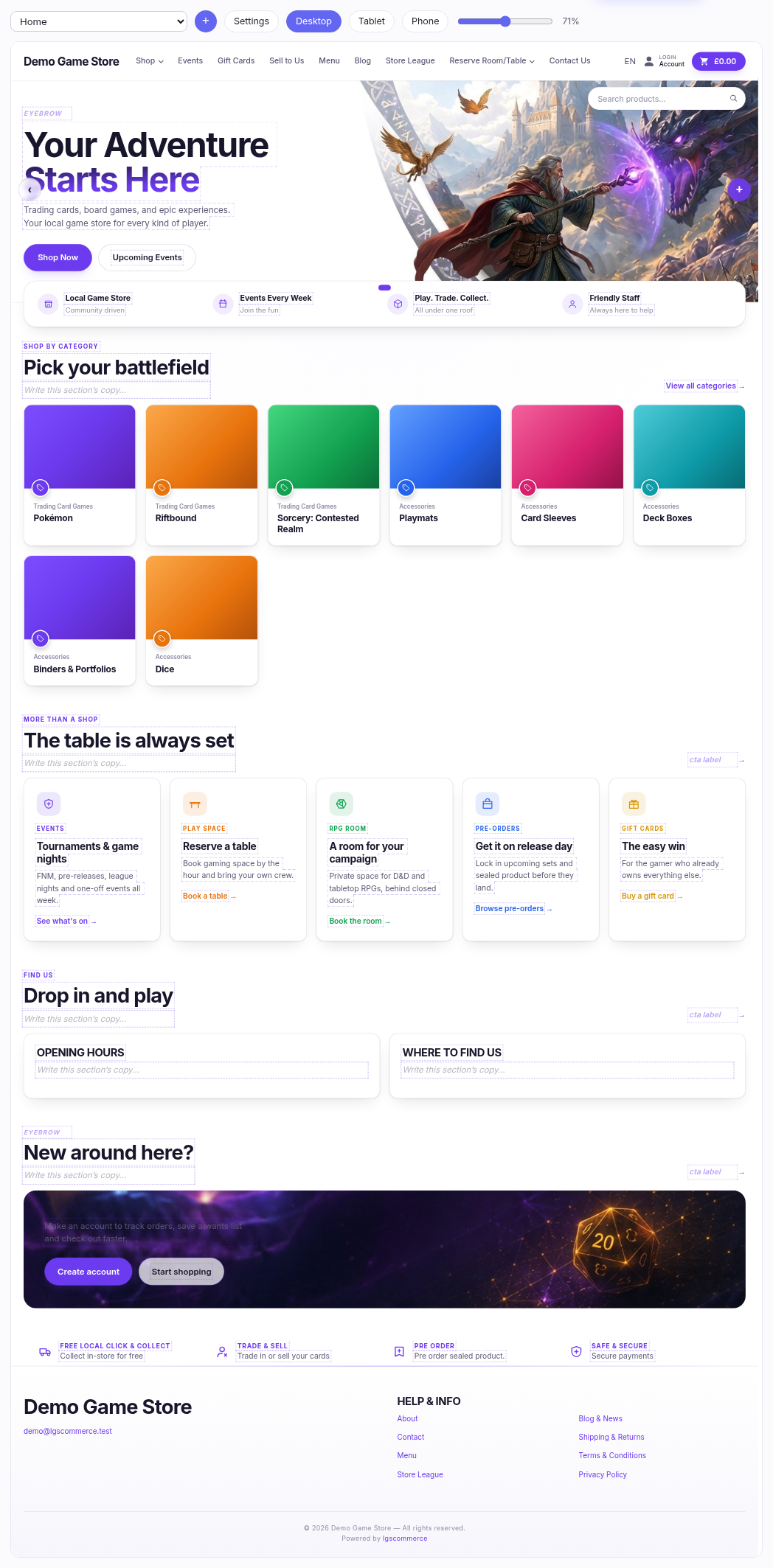
How it fits together
- A page is a stack of sections (we also call them blocks).
- Each section has a type — a hero, some cards, a block of text — and most have a variant, which is the same content in a different shape.
- Everything you type goes to a draft. Customers keep seeing the live version until you press Publish.
Editing text
Click any text in the preview and type. Dotted outlines mark what's editable; a placeholder like "Write this section's copy…" is an empty field waiting for you, not missing text.
Some text can't be edited here — a product's name, a category's title, a blog post's headline. Those belong to the thing itself and the editor says "edited on its own screen" rather than letting you type something that would never save. Change the product and the page follows.
Selecting a whole section
Click a section (rather than its text) and its toolbar appears, with everything you can do to it. That toolbar has its own help.
Nothing is live until you publish
The safety property worth trusting: you can rebuild your home page on a Saturday afternoon with customers on the site, and they see none of it until you say so.