
Everything you hold about one customer, on one page: who they are, where they live, what they've bought, and every movement on their balances.
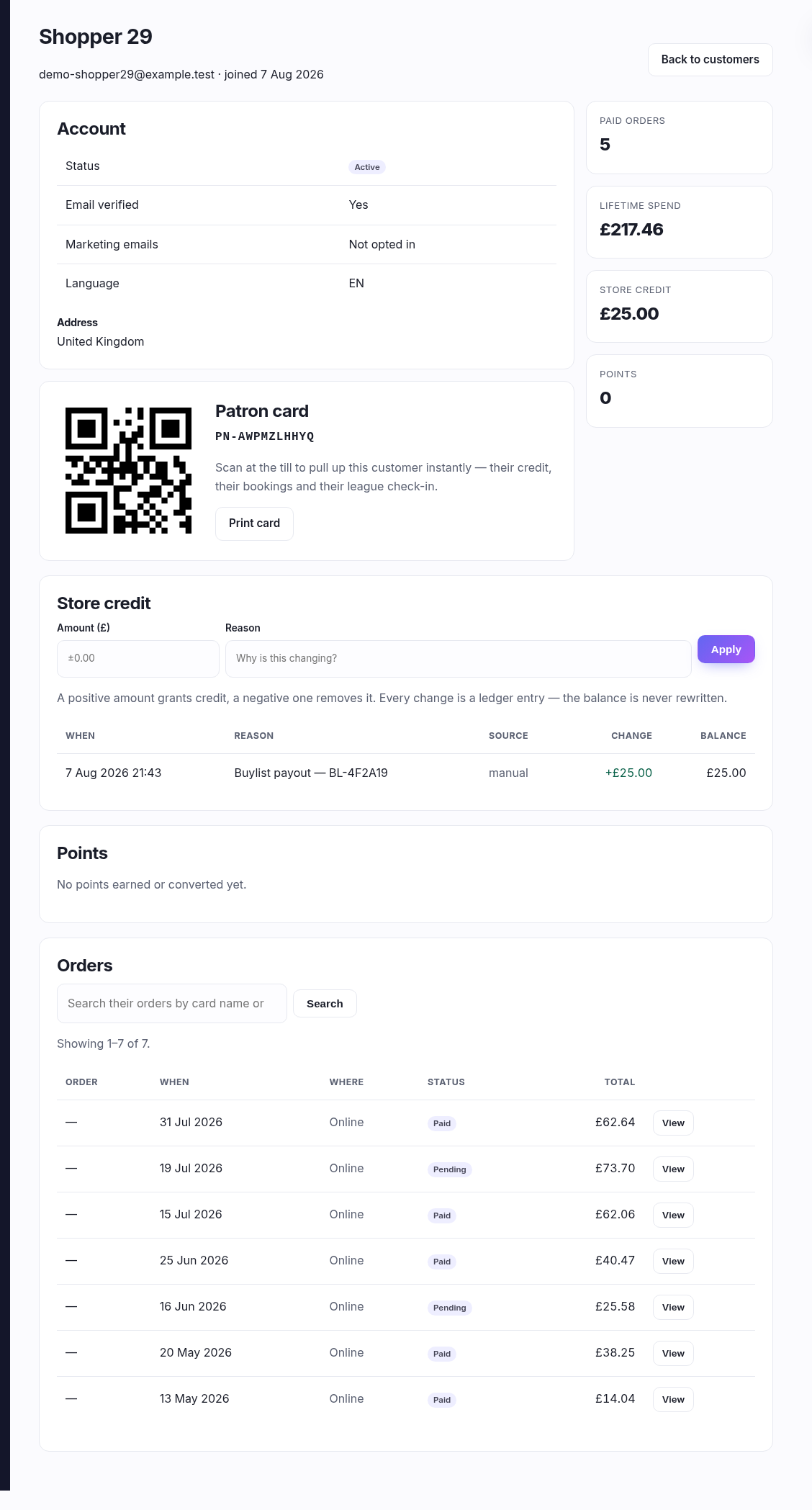
Account and address
Their status, whether they've verified their email, whether they've opted into marketing, and the address they've saved. An address only appears once they've given you one — most customers do that at their first checkout, so a blank here on a new account is normal.
The patron card
Their QR fob, shown here rather than hidden behind a link, with their PN- code
underneath. Scanned at the till it pulls up this customer instantly — their credit, their
bookings, their league check-in. Print card opens a printable version for the
keyring.
The four totals
- Paid orders and Lifetime spend — across everything they've ever bought, online and in store, not just the page listed below. Spend is shown per currency: normally one line, but if your shop has changed currency you'll see each, because adding them together wouldn't mean anything.
- Store credit — what they can spend right now.
- Points — their loyalty balance, if that's part of your plan.
Adjusting store credit
A positive Amount adds credit, a negative one takes it away.
25 grants £25; -5 removes £5. The Reason is required
and worth writing properly — it's what you'll read in six months when they query their balance.
Every adjustment is a ledger entry, not an overwrite. The balance is the running total of everything that's ever happened, so nothing is quietly rewritten and the history always explains the number.
Reading the ledgers
Both ledgers read the same way, newest first: when it happened, why, where it came from, the change, and the balance it left behind. Source tells you what caused it — manual is an adjustment someone made here; the others arrive on their own from a buylist paid out in credit, a refund issued as credit, a league prize, or points being converted.
Orders
Everything they've bought, twenty-five to a page, marked Online or In store, with a link into the full order. Each total is shown in the currency that order was taken in, so an old order keeps reporting what the customer actually paid. Pending ones are baskets that reached payment and didn't complete — normal, and not something to chase individually.
Searching their orders
The search box looks inside the orders, at the lines — so you can search a card name or a SKU and get back only the orders containing it, with the matching lines listed underneath. That's the answer to "did they already buy this?" and "which order was that playmat on?" without opening anything.