
Customer reviews wait here for you to look at. Nothing appears on your storefront until you approve it — the queue is opt-in publication, not clean-up after the fact.
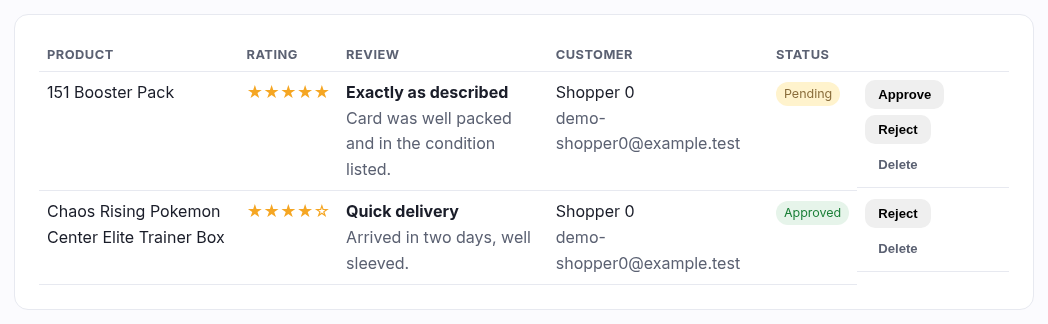
The queue
Anything awaiting moderation is listed first, and the count is in the page heading so you can tell at a glance whether there's anything to do. Each row shows the product, the star rating, the review itself and who wrote it.
Your three actions
| Action | What happens |
|---|---|
| Approve | The review goes live on the product page. You can still reject it later if you change your mind. |
| Reject | It stays here, marked rejected, but never shows publicly. Use this rather than Delete when you might need to point at it later — a dispute, a pattern of abuse from one account. |
| Delete | Gone for good. It asks first. |
What to reject
Your shop, your call — but the usual line is: reject abuse, spam, anything with personal details in it, and reviews that are really support questions. A bad review is not a reason to reject. A wall of five stars reads as fake; a 4.2 average with a couple of honest three-star reviews sells more than a perfect one.