
Your events calendar — one-off and recurring, free and ticketed. Create the event here and it appears on your storefront calendar; customers book (and pay, if it's ticketed) from there.
Pick an event from the list on the left to edit it, or press + New event. The list shows how many people are booked on each.
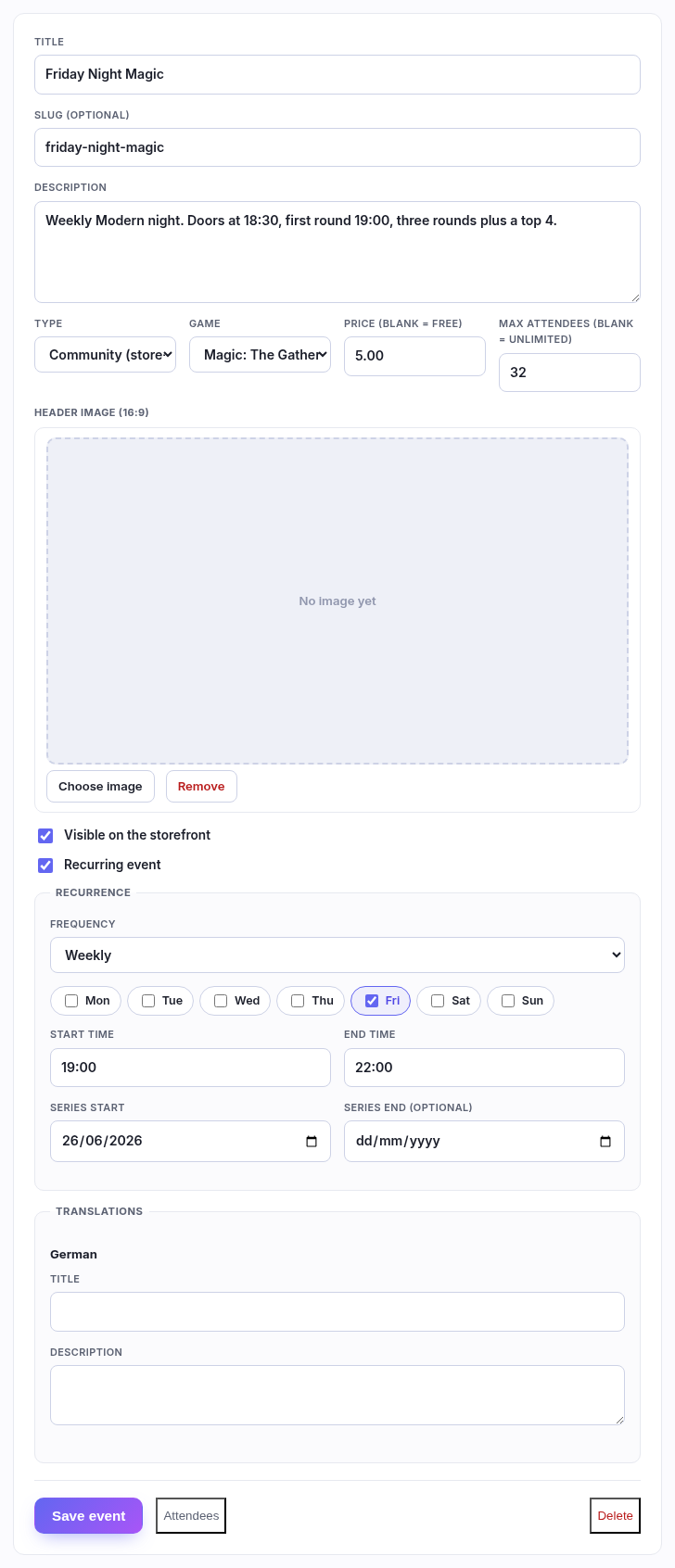
The fields
| Field | What to put in it |
|---|---|
| Title | What it's called. "Friday Night Magic", "Pokémon League". |
| Slug | Optional — the web address it lives at. Leave it blank and it's made from the title, which is almost always what you want. |
| Description | What a player needs to know before turning up: format, doors, entry, what's included. |
| Type | Community (store-run) — your own event, bookable, and the only kind that can be scored in the league. General (listing only) — something you're advertising but not running: a regional, someone else's tournament. |
| Price | Ticket price. Leave blank for a free event — free events still take bookings, they just skip payment. |
| Max attendees | The capacity. Once it's reached, further customers join a waitlist instead of being turned away — and if someone cancels, the next in line is emailed automatically. Leave blank for unlimited. |
| Header image | A 16:9 picture for the event page. Crop it in place after uploading. |
| Visible on the storefront | Untick to hide an event while you write it, or to retire one without deleting its history. |
One-off or recurring
Ticking Recurring event swaps the date fields for a recurrence rule.
- Frequency — weekly, every 2 weeks, or monthly.
- Days — tick the day(s) it runs on.
- Start time / End time — the same clock time every week.
- Series start — when the run begins. Series end is optional; leave it blank for "until further notice", which is what a weekly night usually is.
A recurring event is one event with many nights, not a hundred copies. Bookings, the capacity and the attendee list are all per night, so this week being full doesn't touch next week.
Unticked, you get a plain Starts and optional Ends instead — for a prerelease or a one-off tournament.
Attendees

Attendees lists who's booked, per date, with their booking reference and what they paid. Cancel releases the place — and if anyone is waiting, the first waitlister is notified straight away.
Translations
If you sell in more than one language, the tabs at the bottom let you write the title and description again per language. Anything you leave blank falls back to the main text above.
VAT — which case are you?
- If you are VAT registered (a VAT number is saved in Settings ▸ Store details): the ticket price is treated as VAT-inclusive like every other price, and the VAT inside it appears on your VAT report with your other sales.
- If you are not VAT registered: no VAT is charged or recorded, and the player pays exactly the ticket price you set.
Good to know
- Deleting an event deletes its bookings too, and it asks first. To stop running something, untick Visible on the storefront instead.
- A ticket is a normal basket line — a player can buy an event ticket and a booster box in one go, and it appears on one order.
- The toggle at the top of the page puts today's events on your home page, which is worth having on if you run something most nights.