
Your café list: what you sell to people sitting in your shop. It does two jobs — it's the
menu page customers read at /menu, and it's what the
till rings up when someone buys a can of cola.
Food is never sold online. These items don't appear in the catalogue and can't be added to a web basket. They exist for the counter and the tables.
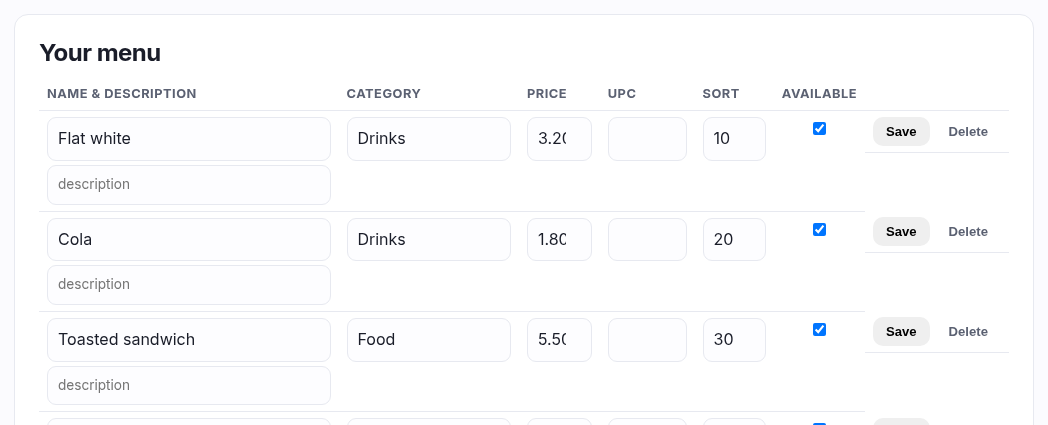
Adding an item
| Field | What to put in it |
|---|---|
| Name | What it's called on the menu. "Cheese toastie", "Flat white". |
| Category | The heading it sits under on the menu page — "Food", "Hot drinks", "Cans". Start typing and it offers the headings you've already used, so you don't end up with "Cans" and "cans" as two sections. |
| Price | What the customer pays, in your shop's currency. |
| Barcode (UPC) | Optional, and worth doing for anything that comes with a barcode — a canned drink, a chocolate bar. Fill it in and the cashier can scan the item straight into the sale instead of hunting for it on screen. |
| Sort | Position within its category, low numbers first. Leave everything at 0 and they fall in the order you added them. |
| Description | Optional line under the name. "Ham, cheese, on sourdough." |
| Available | Ticked = on the menu and sellable. Untick when you run out — it stays in the list ready for tomorrow. |
Editing
Every row on the menu below is live — change a price or a name in place and press Save on that row. Delete removes the item and asks first. Untick Available rather than deleting something you'll sell again next week.
VAT — which case are you?
- If you are VAT registered (a VAT number is saved in Settings ▸ Store details): the price you type here is treated as VAT-inclusive, the same as every other price in the shop, and the VAT inside each till sale appears on your VAT report. Note that food and drink is the one area where the rate genuinely depends on what you're selling and whether it's eaten in — that's a question for your accountant, not something the shop can decide for you.
- If you are not VAT registered: no VAT is charged or recorded, and the customer simply pays the price you typed.
Worked example
"A can of cola at £1.20, scannable at the till."
Name Cola (330ml) · Category Cans · Price 1.20 ·
Barcode 5000112637922 · Sort 10 · Available ticked.
It shows under "Cans" on your menu page, and scanning the can at the till adds it to the sale.