
Turns your regular event nights into a season-long competition with a running table. You set the scoring once, create a season, and then score each night as it happens.
Scoring and seasons
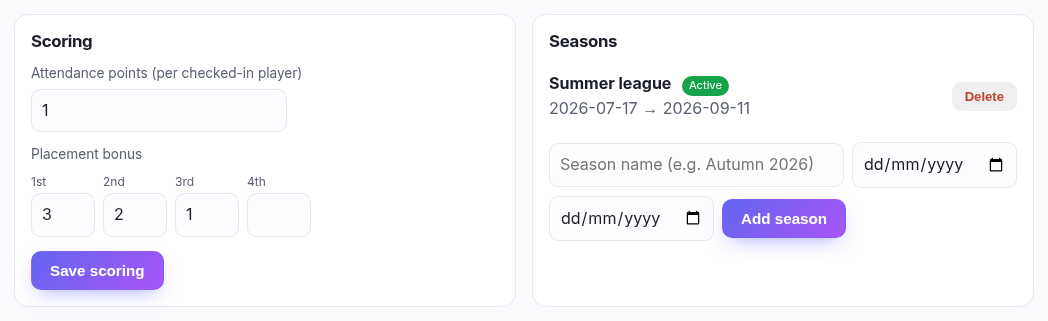
- Attendance points — what a player gets simply for turning up and being checked in. Set this to 1 and the table rewards regulars, which is usually the point of a shop league.
- Placement bonus — extra points for finishing 1st, 2nd, 3rd and so on. Fill in as many placings as you want to reward; leave the rest blank. A new empty box appears as you use the last one.
Then add a season — a name and optional start and end dates. Only one season is active at a time, and points you award always go to the active one, so starting "Autumn 2026" is how you reset the table without losing the old one. A season that has standings can't be deleted; activate a different one instead.
Running a night
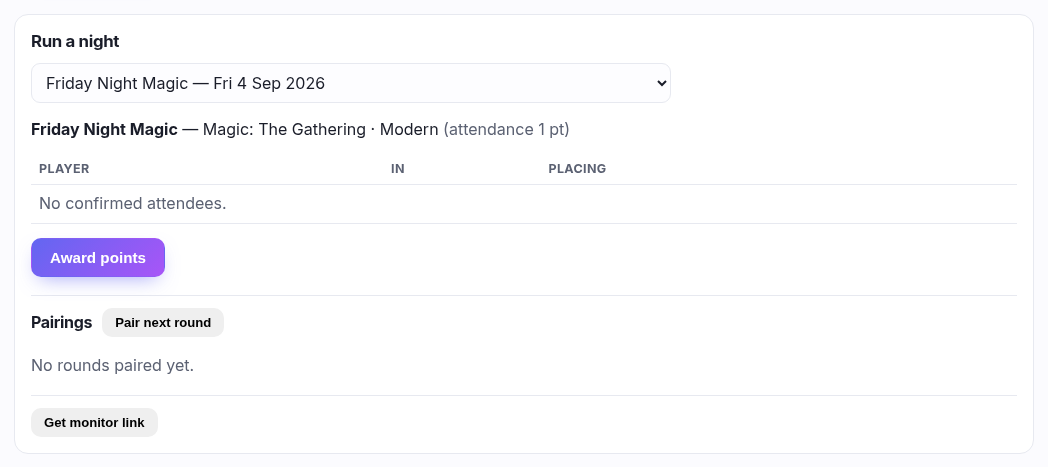
Pick the night from the drop-down. It lists every community event occurrence from the last 60 days and the next 30, so you can score last Friday on Monday morning if you forgot. Nights already scored are marked ✓ scored.
The roster is everyone confirmed for that night:
- In — tick as players arrive. Only checked-in players earn attendance points.
- Placing — type their finishing position at the end, 1 for the winner.
- Prize £ — hands a player store credit as a prize, there and then. It appears on their account immediately. (Only shown if store credit is part of your plan.)
Then press Award points. That's the moment scores are written, and it can only happen once per night — so check the placings before you press it.
Walk-ins can attend but can't rank. Anyone without a customer account shows as (walk-in) with a dash where the placing box would be. There's nowhere to keep their points, so there's nothing the league can do with them. If a regular keeps turning up as a walk-in, get them to make an account — or scan their patron card, which attaches the booking to their account.
Pairings
Pair next round pairs the checked-in players for you and adds a round. Record each match with P1, Draw or P2. An odd number of players means someone gets a bye. Clear throws a round away if you paired too early or someone turned up late.
The monitor link
Get monitor link gives you a web address showing the current pairings, meant for a screen or a tablet propped up in the room so players can find their table without asking you. It's read-only and needs no sign-in — anyone with the link can look, nobody can change anything.
Worked example
"A three-month Modern league on Friday nights: a point for turning up, 3/2/1 for the
top three."
Attendance points 1 · 1st 3 · 2nd 2 · 3rd 1 ·
Save scoring. Add a season "Autumn 2026", starting today and ending in three months, and activate
it. Each Friday: pick the night, tick players in as they arrive, pair the rounds, type the
placings, press Award points.